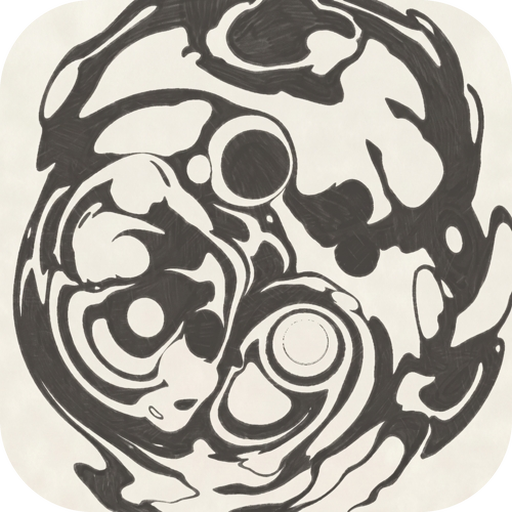
The medium
The engine deforms a coordinate field with exact maps; what you see is a medium reading that field. Sumi reads it as ink phase on washi paper — the suminagashi the app is named for. Anod reads the same field as a discharge: charged material glowing by its accumulated strain over black glass, the water drawn as the field’s own deformed grid. Switch with Medium in the settings (Sumi, Anod) and the sheet you have is re-read, live and bitwise — a marbled print becomes a discharge record and back, nothing lost. The mathematics of the second reading is on the Anod page.
What a medium owns
Section titled “What a medium owns”A medium owns three things, and only three:
- The composite — how the field becomes pixels: the washi’s soak and pooled near-black, or the strain glow, the bloom and the glass.
- The default bindings — what each MPE dimension does when its routing row says Medium default. Under Sumi a strike is a drop, pressure the ink feed, the bend a glide, the slide a hue, the mod wheel the vortex. Under Anod a strike is the spark, pressure spends torsion around the note, the bend stirs the Chladni eddies, the slide plays the spark’s frequency, and the mod wheel throws the standard map. An explicit choice in a routing row, or a CC route, overrides the table in either medium.
- Its three built-in palettes — sumi black, indigo, ochre; electric blue, plasma orange, phosphor green — under the same three ids, plus the custom slot both share.
Everything else — the layouts, the operators, the gestures, the input dialects, the prints — is the engine’s and the same under both.
The substrate
Section titled “The substrate”The Substrate page (desktop: Substrate; the tablets: Substrate — paper or — glass & glow):
| Sumi: the paper | Anod: the glass |
|---|---|
| Paper tint — cream (washi), white, or a custom tint; the washi’s base tone that the mottle, grain and fibres ride on | Glass darkness — the near-black under the charge |
| Roughness — the strength of the mottle, grain and fibre strands (a CC can ride it live) | Phosphor grain — the speckle in the glass, screen-locked |
| Fiber scale — the fibres’ size; the paper is screen-locked, never deformed with the ink. The fibres’ angle drift is a constant, not a setting | Glow bloom and Glow reach — the lens’s blur, added back over a few octaves |
| Glow scale — the strain a texel needs to glow (smaller is hotter, sooner); Grid lines — the water’s grid at rest, 0 for glass alone; Strike charge — the spark’s size as a fraction of the Sumi drop’s |
Palettes
Section titled “Palettes”Every palette is one small object — stops along the ink’s depth or the charge’s glow, a depth curve, a hue drift toward an accent, the clear water’s tone — and the Palette page holds the three built-ins of the medium, the curated library (the colour-blind-considerate Cobalt & amber, Viridis, Cividis) and the custom slot’s editor. The palette model →
The operators’ knobs
Section titled “The operators’ knobs”The Operators page on the tablets (the desktop’s Chladni, Burst, Spark and Chirikov sections) holds the electric operators’ parameters — the Chladni stir and balance, cell size and mode; the burst’s age, life and order; the spark’s shear, decay, octaves, profile and frequency; the Chirikov throw, K max, periods and drift. The sliders that ride a CC (stir, balance, frequency, throw — CC 106–109 on the desktop’s stock map) are disabled until a route exists in the CC map, because they send that CC through the real control path, like the ripple’s.
Prints: the ledger
Section titled “Prints: the ledger”Every paper dip of the session lands in the Prints page with the field it printed and the look it was printed with — the This session list, newest first, each with a thumbnail and its time. Because the field is resolution-independent, any dip re-exports at any size while the session lives: Export size (the screen’s, or larger), Export PNG, and under Anod Anod over alpha — the glow and the grid written over a transparent background for compositing. The ledger is memory-capped; the oldest entries go first. The newest entry keeps its full print, the one Save the newest print (to Photos, the gallery, or the print folder on the desktop) writes. Prints and exports bloom the same as the screen. Paper and prints →
A fresh sheet
Section titled “A fresh sheet”The dip is the same act in both media: the ledger keeps the print, the water returns to identity, the paper or the glass stays. The dip also re-bases the drop counter that drives hues, so a long session never runs the palette selector out of precision.
midi-sink 2.0.0-rc.5 · AGPL-3.0 · source